Process JSON with jq
I have a love-hate relationship with JSON.
It gets the job done, but the syntax can be annoying.
That's why I have a love-love relationship with jq. 😍
No matter how messy the JSON gets, jq is there to make sense of it.
We're checking out the jq command line tool!
By the end, you'll be wrangling JSON data with your jq lasso. Giddy up, cowboy. 🤠
The Basics
Think of jq as a filter on a stream of JSON data. It receives some input and returns some output.
Filters either extract something from the JSON content or manipulate something within the content.
You'll see some filters below. Let's work with some example JSON in the hogwarts.json file:
{"school":"Hogwarts","headmaster":"Albus Dumbledore","students":[{"name":"Harry Potter","house":"Gryffindor","year":5,"owl_count":7},{"name":"Hermione Granger","house":"Gryffindor","year":5,"owl_count":10},{"name":"Draco Malfoy","house":"Slytherin","year":5,"owl_count":6}],"subjects":["Potions","Defense Against the Dark Arts","Transfiguration"]}
Yes, it's not fun to scroll. Don't worry; jq will make it easier to view the file.
But first, how exactly do you pass data to the tool? jq reads a stream of JSON objects from stdin. Or if given a file path, jq reads JSON objects from the file.
Here's one way to apply a filter to a file: jq '<filter>' <file>
The simplest filter is ., or the "identity filter." This returns the data as it is... but with indentation and syntax highlighting 😍:
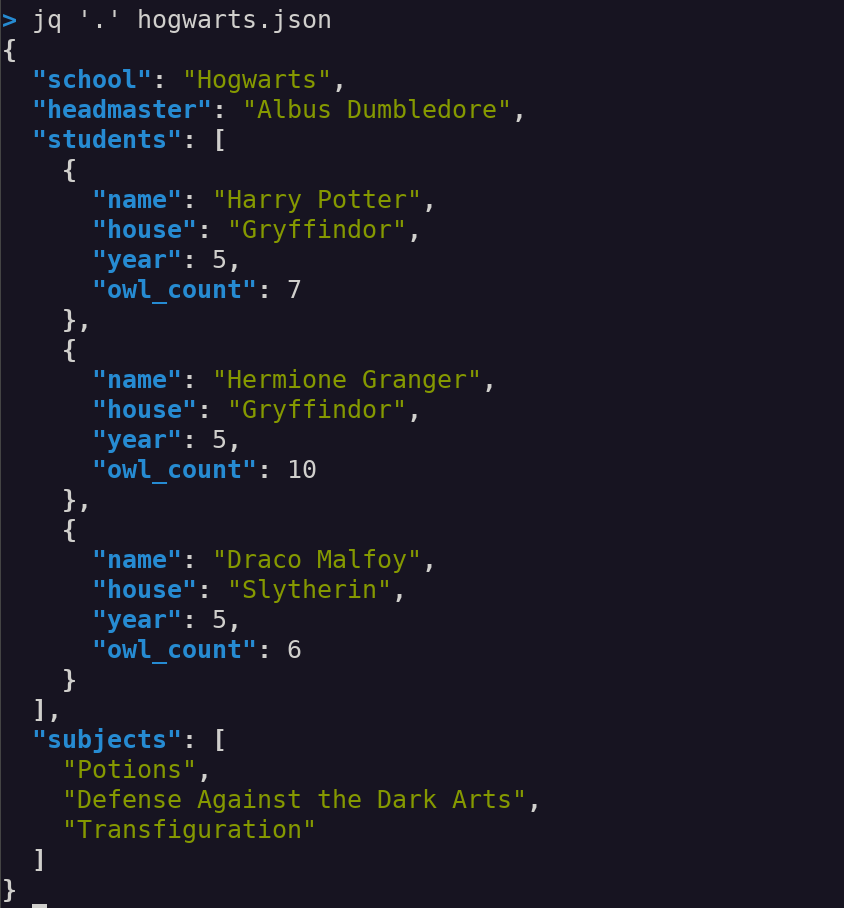
When you see the ., think of it as "this object."
To make the file size smaller, the JSON can be minified using the compact flag -c.

Nice! Let's dig into this JSON object.
To get the value of a certain key, use the .<key-name> filter:
> jq '.school' hogwarts.json
"Hogwarts"
This returns the value "Hogwarts" for the key "school".
Want to extract those students? No problem:
> jq '.students' hogwarts.json
[
  {
    "name": "Harry Potter",
    "house": "Gryffindor",
    "year": 5,
    "owl_count": 7
  },
  {
    "name": "Hermione Granger",
    "house": "Gryffindor",
    "year": 5,
    "owl_count": 10
  },
  {
    "name": "Draco Malfoy",
    "house": "Slytherin",
    "year": 5,
    "owl_count": 6
  }
]
The .students filter returns the array associated with the "students" key.
To return each element of the array as a separate JSON object, use the array iterator .[]. For example, the snippet below uses the .students[] filter. Note how the output is no longer an array; it's a stream of 3 separate JSON objects. (There's no enclosing brackets [] or commas between the objects.)
> jq '.students[]' hogwarts.json
{
  "name": "Harry Potter",
  "house": "Gryffindor",
  "year": 5,
  "owl_count": 7
}
{
  "name": "Hermione Granger",
  "house": "Gryffindor",
  "year": 5,
  "owl_count": 10
}
{
  "name": "Draco Malfoy",
  "house": "Slytherin",
  "year": 5,
  "owl_count": 6
}
That same .[] notation is used for indexing and slicing. What if you want the name of the 2nd student in the "students" array?
> jq '.students[1]' hogwarts.json
{
  "name": "Hermione Granger",
  "house": "Gryffindor",
  "year": 5,
  "owl_count": 10
}
That's right, jq uses 0-based indexing. .students[1] gives the item in the 2nd position of the array.
Maybe that's too much output. You can string keys together to get nested values. Here's how to get the value for the name key for the 2nd student:
> jq '.students[1].name' hogwarts.json
"Hermione Granger"
By default, jq returns string types with JSON quotes (as you just saw above). If you want simple strings without quotes, use the -r flag ("r" for raw):
> jq -r '.students[1].name' hogwarts.json
Hermione Granger
The -r flag is essential when piping jq output to another command line tool. The standard JSON quotes can get in the way of other tools.
Let's camp out on the students array. Suppose you want to figure out how many elements are in the array. That can be done by using the length filter.
> jq '.students | length' hogwarts.json
3
That's right! Filters can be combined. The output of one filter becomes the input of the next filter.
The first filter .students extracts the students array. The | character pipes the output of the first filter to the length filter... which (unsurprisingly) gives the length of the array.
What if you want to filter the students array to get our favorite Gryffindor members? That's where select comes in:
> jq '.students[] | select(.house == "Gryffindor") | {name, house}' hogwarts.json
{
  "name": "Harry Potter",
  "house": "Gryffindor"
}
{
  "name": "Hermione Granger",
  "house": "Gryffindor"
}
Here's a chain of 3 filters. The 2nd filter select(.house == "Gryffindor") emits any objects where the key "house" has a value of "Gryffindor". This is like the where clause from good 'ole SQL-land.
The 3rd filter {name, house} picks the keys you want in the final output; this removes the year and owl_count key-values.
jq also allows arithmetic. Suppose someone causes mischief and fudges the owl_count 😱:
> jq '.students[] | {name, owl_count: (.owl_count - 5)}' hogwarts.json
{
  "name": "Harry Potter",
  "owl_count": 2
}
{
  "name": "Hermione Granger",
  "owl_count": 5
}
{
  "name": "Draco Malfoy",
  "owl_count": 1
}
Here, the owl_count value is subtracted by 5. The other operations you may expect are in jq too (addition , multiplication, exponents, etc.).
The Real World
Alright, those examples are cute. But real JSON isn't so small. In the real world, you call an API and are hit with this beauty:
{"data":[{"id":"1fcca6dd-f25d-414f-889a-e99b0c4b40c4","type":"spell","attributes":{"slug":"age-line","category":"Charm","creator":null,"effect":"Prevented people above or below a certain age from access to a target","hand":null,"image":"https://static.wikia.nocookie.net/harrypotter/images/e/e5/Age_Line_surrounding_the_Goblet_of_Fire_PM.jpg","incantation":null,"light":"Blue","name":"Age Line","wiki":"https://harrypotter.fandom.com/wiki/Age_Line"},"links":{"self":"/v1/spells/1fcca6dd-f25d-414f-889a-e99b0c4b40c4"}},{"id":"6e723990-3406-415d-a9fc-3d4ef5ba1019","type":"spell","attributes":{"slug":"alarte-ascendare","category":"Charm","creator":null,"effect":"Rocketed target upward","hand":"Brandish wand","image":"https://static.wikia.nocookie.net/harrypotter/images/c/c4/Alarte_Ascendare.gif","incantation":"Alarte Ascendare(a-LAR-tay a-SEN-der-ay)","light":"Red","name":"Alarte Ascendare","wiki":"https://harrypotter.fandom.com/wiki/Alarte_Ascendare"},"links":{"self":"/v1/spells/6e723990-3406-415d-a9fc-3d4ef5ba1019"}},{"id":"4c184d5e-f762-4deb-b16b-705a8a13f00f","type":"spell","attributes":{"slug":"albus-dumbledore-s-forceful-spell","category":"Spell","creator":null,"effect":"Great force","hand":"Flick wand","image":null,"incantation":null,"light":"None","name":"Albus Dumbledore's forceful spell","wiki":"https://harrypotter.fandom.com/wiki/Albus_Dumbledore's_forceful_spell"},"links":{"self":"/v1/spells/4c184d5e-f762-4deb-b16b-705a8a13f00f"}},{"id":"758d28c2-c26b-40c5-aaa9-697355f53875","type":"spell","attributes":{"slug":"alohomora-duo","category":"Charm","creator":null,"effect":"Stronger variation of the Unlocking Charm","hand":null,"image":null,"incantation":"Alohomora Duo","light":null,"name":"Alohomora Duo","wiki":"https://harrypotter.fandom.com/wiki/Alohomora_Duo"},"links":{"self":"/v1/spells/758d28c2-c26b-40c5-aaa9-697355f53875"}},{"id":"a8f39fce-148b-4502-9267-84571828b0f6","type":"spell","attributes":{"slug":"altering-spell","category":"Transfiguration","creator":nu
Be thankful. I'm showing you just the first 2,000 characters. There's a lot more.
jq shines with large JSON content. The tool is incredibly useful when exploring new JSON or filtering for the sections you care about.
Let's pick apart this API output to better understand it. First, what keys does the response have?
> jq 'keys' spells.json
[
  "data",
  "links",
  "meta"
]
Looks like there are 3 keys. Let's see what's in the "data" key:
> jq '.data | length' spells.json
100
There are 100 objects in "data"! You definitely don't want to print all of that at once. But you can inspect the first object:
> jq '.data[0]' spells.json
{
  "id": "1fcca6dd-f25d-414f-889a-e99b0c4b40c4",
  "type": "spell",
  "attributes": {
    "slug": "age-line",
    "category": "Charm",
    "creator": null,
    "effect": "Prevented people above or below a certain age from access to a target",
    "hand": null,
    "image": "https://static.wikia.nocookie.net/harrypotter/images/e/e5/Age_Line_surrounding_the_Goblet_of_Fire_PM.jpg",
    "incantation": null,
    "light": "Blue",
    "name": "Age Line",
    "wiki": "https://harrypotter.fandom.com/wiki/Age_Line"
  },
  "links": {
    "self": "/v1/spells/1fcca6dd-f25d-414f-889a-e99b0c4b40c4"
  }
}
Ah, so this is a collection of spells. There's a lot of extra information here. Let's just get the name of each spell:
> jq '.data[].attributes.name' spells.json
"Age Line"
"Alarte Ascendare"
"Albus Dumbledore's forceful spell"
"Alohomora Duo"
"Altering Spell"
"Amplificus"
"Amplifying Charm"
"Anapneo"
"Animagus Spell"
"Animation Charm"
"Anteoculatia"
"Anti-Apparition Charm"
"Anti-Cheating Spell"
"Anti-Disapparition Jinx"
# ... continues
Okay, now you're getting a sense of the API response. But what categories of spells are there? Here you create a JSON array (with []) containing each spell's category. The array is then piped to the unique filter to deduplicate the categories:
> jq '[.data[].attributes.category] | unique' spells.json
[
  null,
  "Charm",
  "Charm, Conjuration",
  "Charm, Counter-charm",
  "Charm, Curse",
  "Conjuration",
  "Curse",
  "Curse, Healing spell",
  "Dark charm",
  "Healing spell, Charm",
  "Healing spell, Charm, Conjuration",
  "Healing spell, Vanishment, Charm",
  "Hex",
  "Jinx",
  "Jinx, Conjuration",
  "Magical transportation",
  "Spell",
  "Transfiguration",
  "Transfiguration, Jinx",
  "Transfiguration, jinx",
  "Transformation"
]
Interesting! Clearly, there is opportunity for data cleanup here. 😅
One more: How many of these spells emit red light?
> jq '.data | map(select(.attributes.light == "Red")) | length' spells.json
3
3 spells with red light! This chain of filters routes the "data" object to the map filter. In general, map applies some expression to each value in its input array or object; it then outputs an array. In this case, map is calling the select filter to narrow down the spells for those with "Red" light. Finally, the length filter is called to tell us there are 3 items in the final array. Whew! That's powerful.
I can keep going, but hopefully you see the point. Without jq, you'd manually go through the huge JSON content to get to the parts you want. Or you'd write a custom Python script to parse the content. But neither approach is necessary when the humble jq tool is here. 🙂
We've just begun with jq. It's a full-fledged language with many bells and whistles. jq has conditional statements like if-then. It also allows variables! There is much to learn at the jq docs.
jq typically comes pre-loaded on Linux distros and MacOS. If you don't have it, check the jq download page. The two JSON examples can be found on Github.
JSON is the lingua franca of web communication. But processing it can be a pain. The next time you have a mountain of JSON to look at, give jq a whirl. You'll thank me one day.